How to Use AI Scheduling Assistants Without Losing Control

AI scheduling assistants can be genuinely helpful if your week is full of meetings, reschedules, and the usual back-and-forth over times. But not every tool works the same way, and the wrong setup can create more friction than it removes. If you are comparing options, the goal is not to find the “smartest” assistant. It is to find one that fits how you already work, how much control you want, and how much access you are comfortable giving to a third-party app.
What an AI scheduling assistant actually does
At a basic level, an AI scheduling assistant looks at availability, suggests meeting times, and helps coordinate calendars without requiring endless email threads. Some tools handle only external meeting booking. Others can also reschedule meetings, detect conflicts, draft responses, or apply scheduling rules you set in advance.
That range matters because “AI scheduling” can mean anything from a simple booking page to a more active assistant that reads calendar context and makes decisions for you. Before you compare products, decide whether you want:
- a self-serve booking link for clients or coworkers
- automatic time suggestions based on your availability
- help rescheduling existing meetings
- routing logic for teams, such as round-robin or load balancing
- calendar management tied to email or task tools you already use
If you only need one or two of these features, a lighter tool may be easier to manage than a full automation platform.
Features to compare first
Many scheduling tools look similar in a demo, but the details can affect how useful they are day to day. Start with the basics, then look for the controls that keep the assistant from making awkward choices on your behalf.
Availability rules and buffers
Check whether the tool lets you set working hours, break times, travel buffers, meeting-length limits, and lead times before a meeting can be booked. A good assistant should respect your real schedule, not just your open calendar slots.

Calendar and app integrations
Make sure the tool connects with the calendars you already use, such as Google Calendar or Microsoft Outlook. If you rely on Zoom, Teams, Slack, or a CRM, confirm whether integration is built in or requires a separate plan. Limited integration can force you back into manual work.
Team scheduling tools
If more than one person handles meetings, look for features like shared availability, routing by topic, group booking, and handoff rules. For sales, support, or recruiting teams, the best tool is often the one that reduces coordination rather than just automating a single inbox.
Customization and control
Some assistants follow rigid rules; others let you fine-tune who can book, when they can book, and what happens if there is a conflict. If you work with clients, customers, or executives, prioritize tools that let you review or approve certain meetings before they are confirmed.
Privacy, permissions, and data access
Because these tools need calendar access, privacy should be part of the comparison from the start. An AI assistant may be able to read event titles, participant names, meeting notes, or email context depending on how it is configured. That can be convenient, but it also means you should understand exactly what data the tool can see and store.
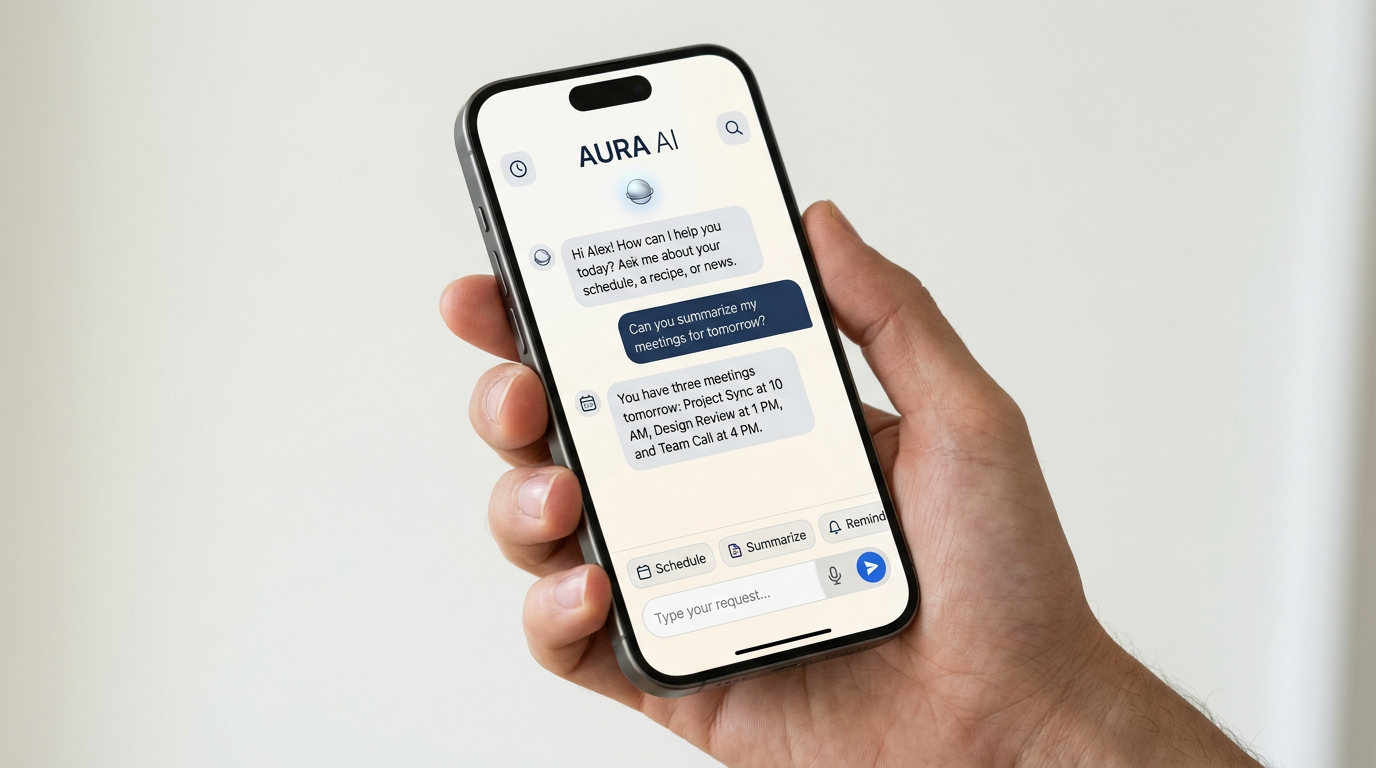
Before connecting anything, look for answers to a few practical questions:
- Does the tool need full calendar access, or can it work with limited permissions?
- Can you hide personal events or mark them private?
- Does the provider explain how meeting data is used to train or improve its systems?
- Can you delete your data or disconnect accounts easily?
- Are there admin controls for teams or business accounts?
For most consumers and small businesses, the safest approach is to choose the least-accessive tool that still does the job well. If a feature only works when you give broad access to your inbox and calendar, decide whether that tradeoff is worth it.
When automation helps, and when it gets in the way
An effective scheduling assistant should remove repetitive steps without making decisions you would not make yourself. That is especially important for people who manage sensitive relationships, shifting priorities, or multiple time zones.
Good automation should feel like a set of guardrails, not a replacement for your judgment.
In practice, that means the tool should help with routine coordination while still allowing you to override its suggestions. If a product aggressively auto-books meetings, sends invites without review, or reschedules existing events too freely, it may save time at first but create headaches later.
Consider where you want the assistant to be proactive and where you want manual control. For example, you may be comfortable letting it propose times to new leads, but not to long-term clients or internal leadership.

A simple way to compare tools before you commit
Rather than relying on feature lists alone, test each tool against a few real scheduling situations from your own calendar. A short trial will tell you more than a polished landing page.
- Set up a common meeting type, such as a 30-minute intro call.
- Try adding buffers, working hours, and blackout times.
- See how easily you can change rules after setup.
- Test the booking flow from the other person’s point of view.
- Review what information the assistant can access and what it stores.
If you are choosing for a team, include the people who will actually use it. An assistant that works well for one person’s calendar can be frustrating when layered across shared inboxes, rotating coverage, or approval workflows.
The bottom line
AI scheduling assistants can be a smart way to reduce repetitive calendar work, but the best choice depends on your habits, your privacy comfort level, and how much control you want to keep. Focus on permissions, integrations, and rule-setting first, then compare the convenience features that matter most to you.
If you are weighing a few options, compare how each tool handles availability, data access, and real-world scheduling scenarios before you decide. The right fit is usually the one that makes your calendar simpler without taking it over.

Get the latest AI drops
New tools, launches and guides — straight to your inbox.